
Optimizing City Operations
Contributed to the design of “Ops Hub”, a section of a complex city management Software as a Service (SaaS) system, consistently advocating for user needs while working within pre-established system patterns.
Contributions: UX/Product Design
Date: 2023
People: Product & Engineering Teams, External Stakeholders
Overview/Problem
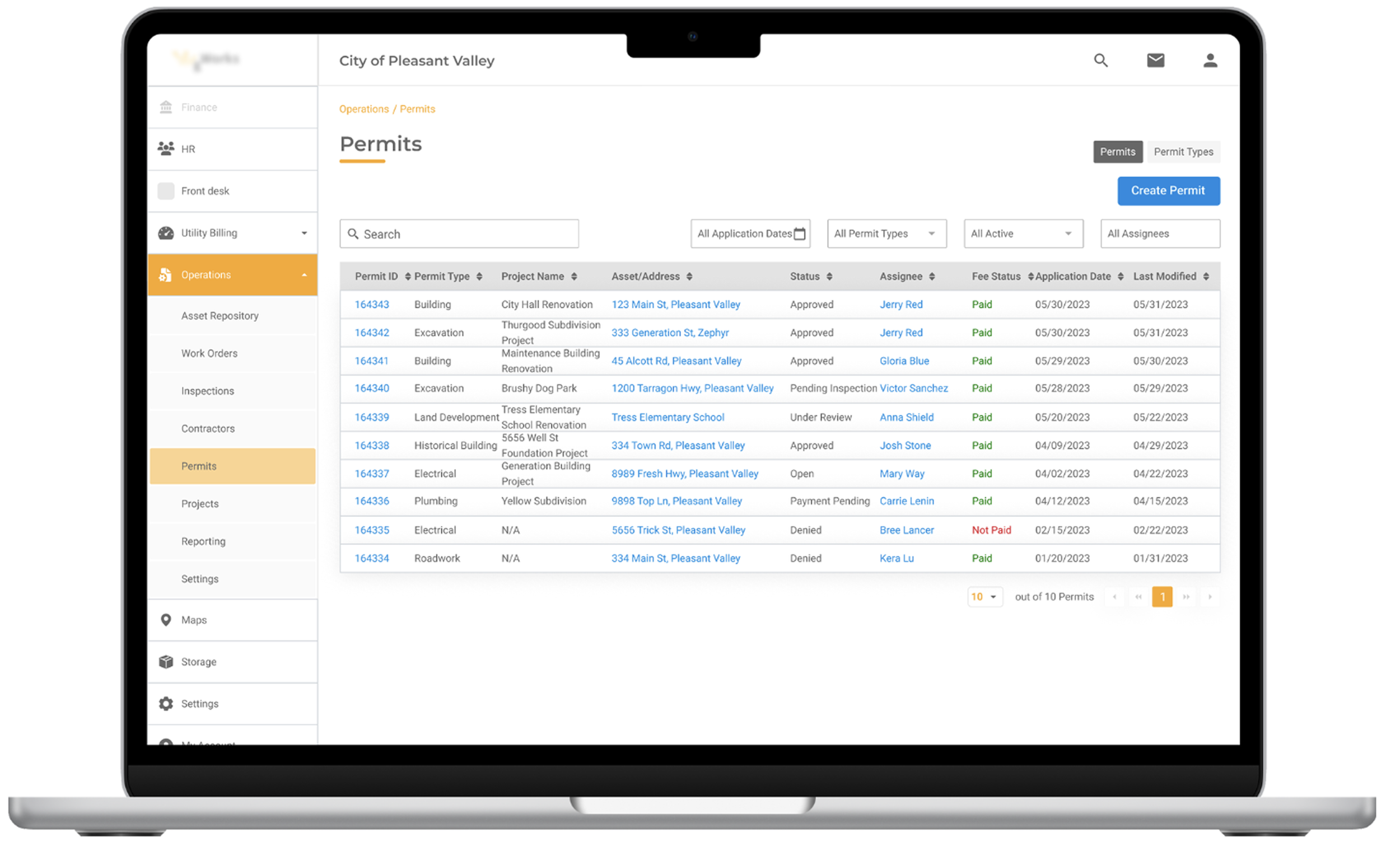
What: Ops Hubs, part of a comprehensive city management software system, helps cities to manage their operations.
Designed for: Small and mid-sized cities & municipalities in the Midwestern US.
My Role: I contributed UX research, workflow analysis, personas, journey mapping, and usability recommendations.
Constraints & Challenges: I joined after the project had started and had to work within tight business and technical constraints to optimize legacy workflows.
Research & Process
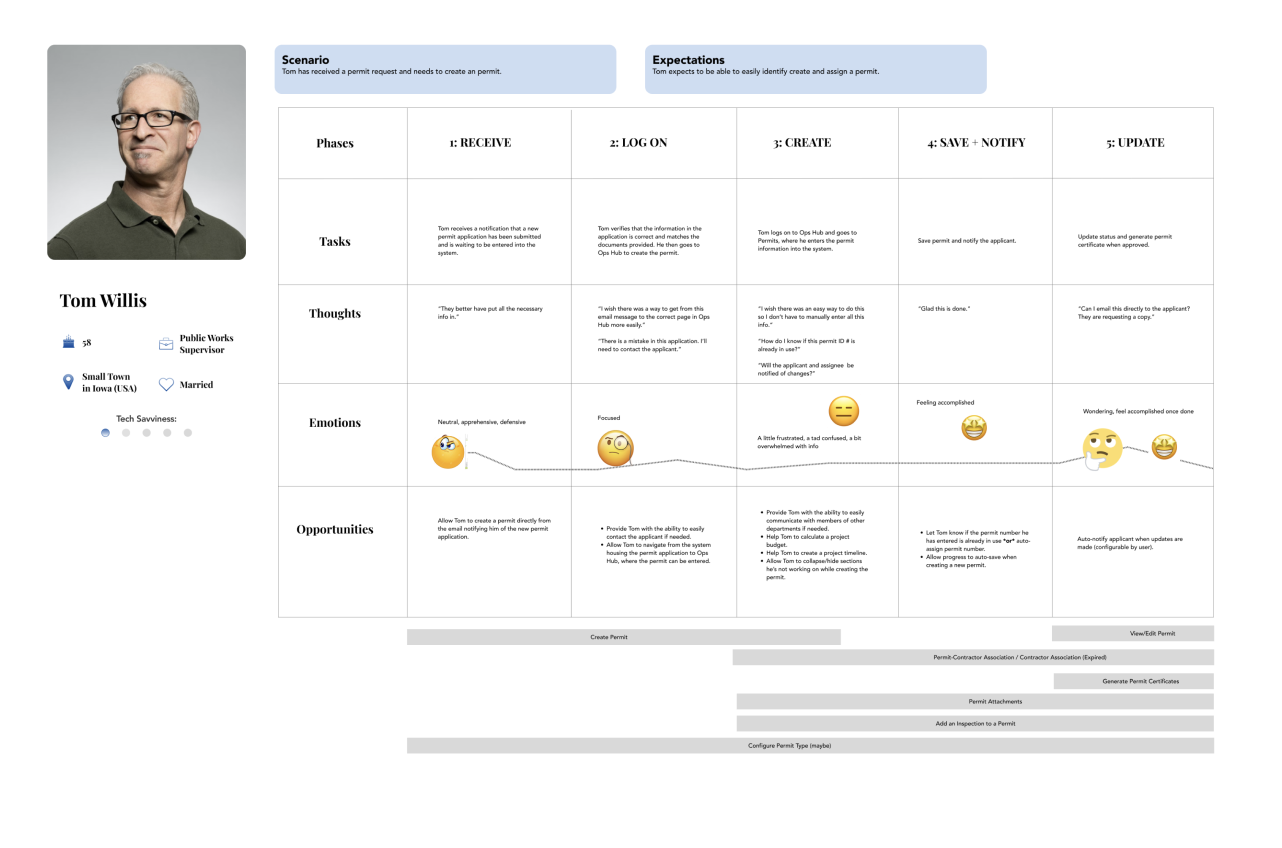
To build empathy for the user across the team, I developed personas representing each user type and created user journeys.
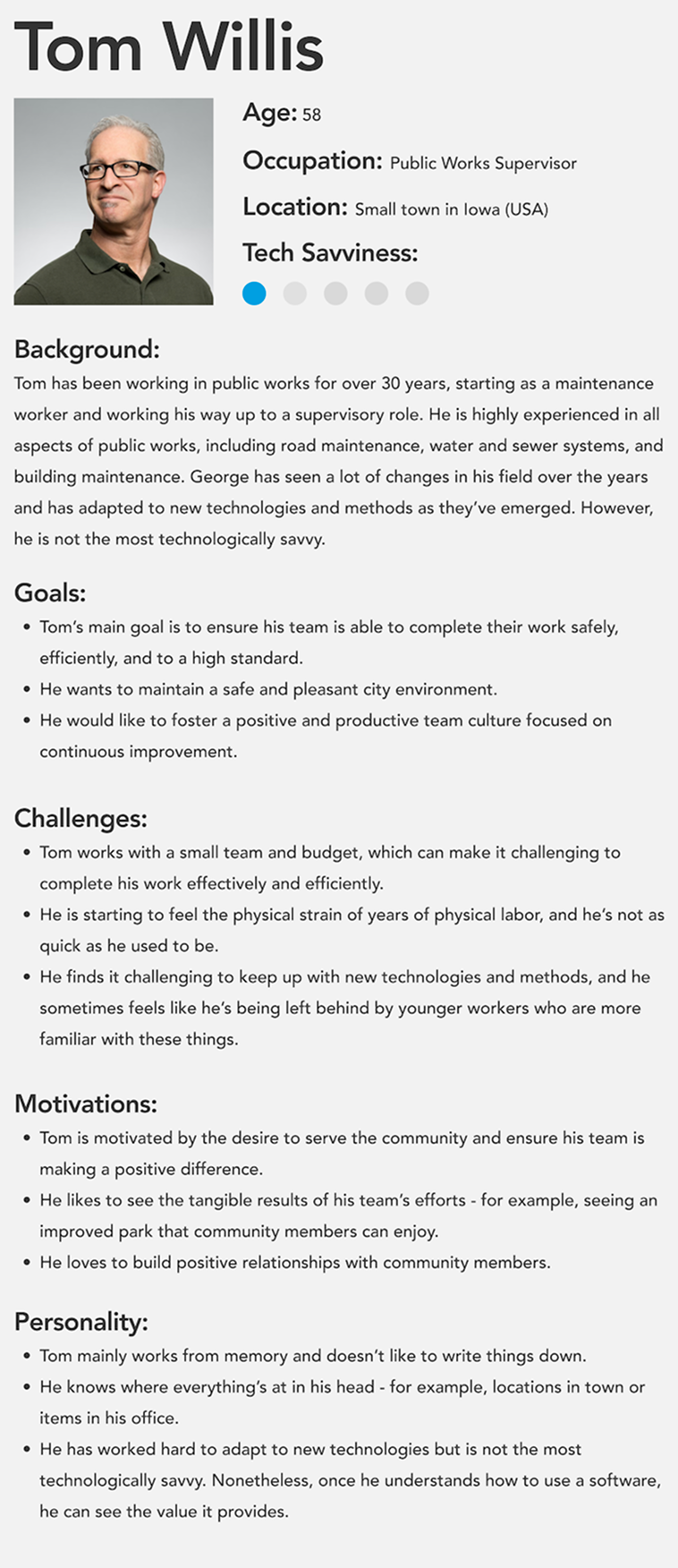
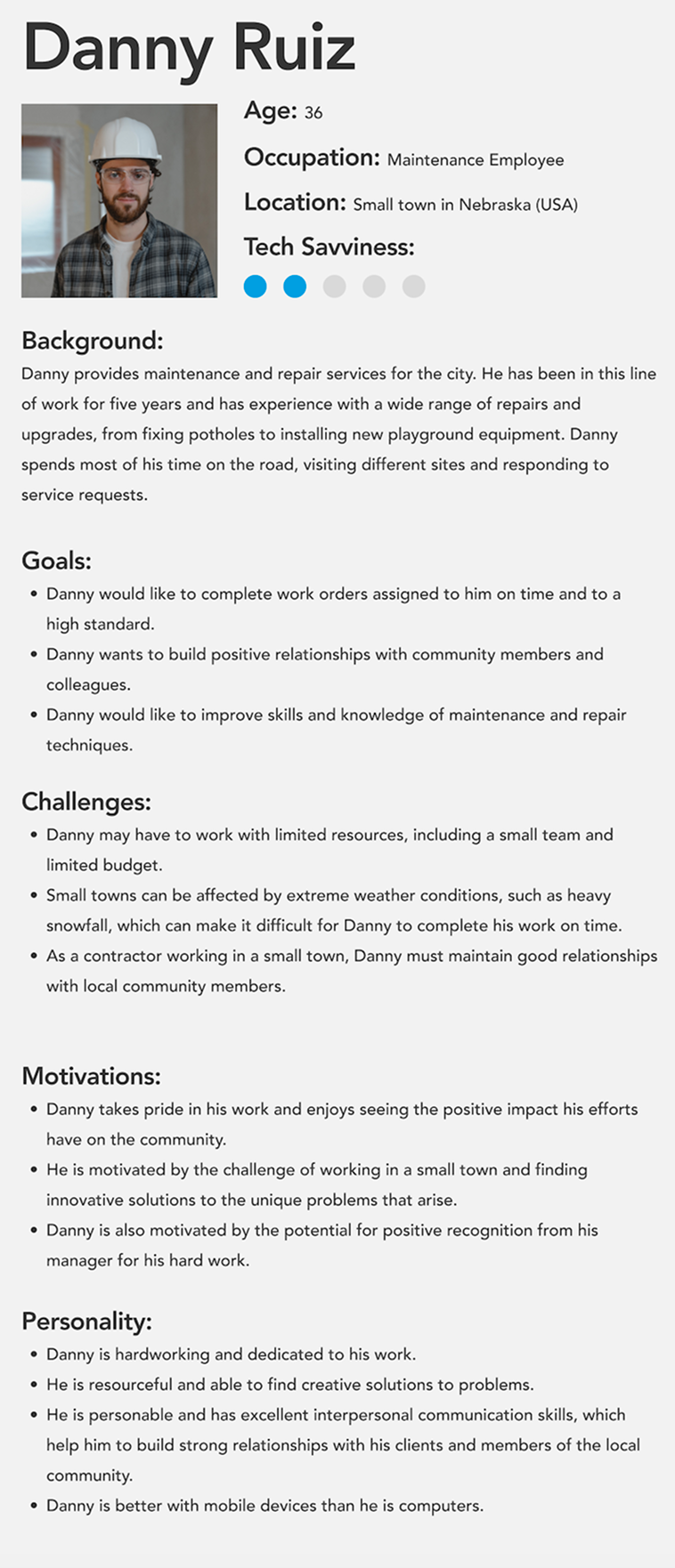
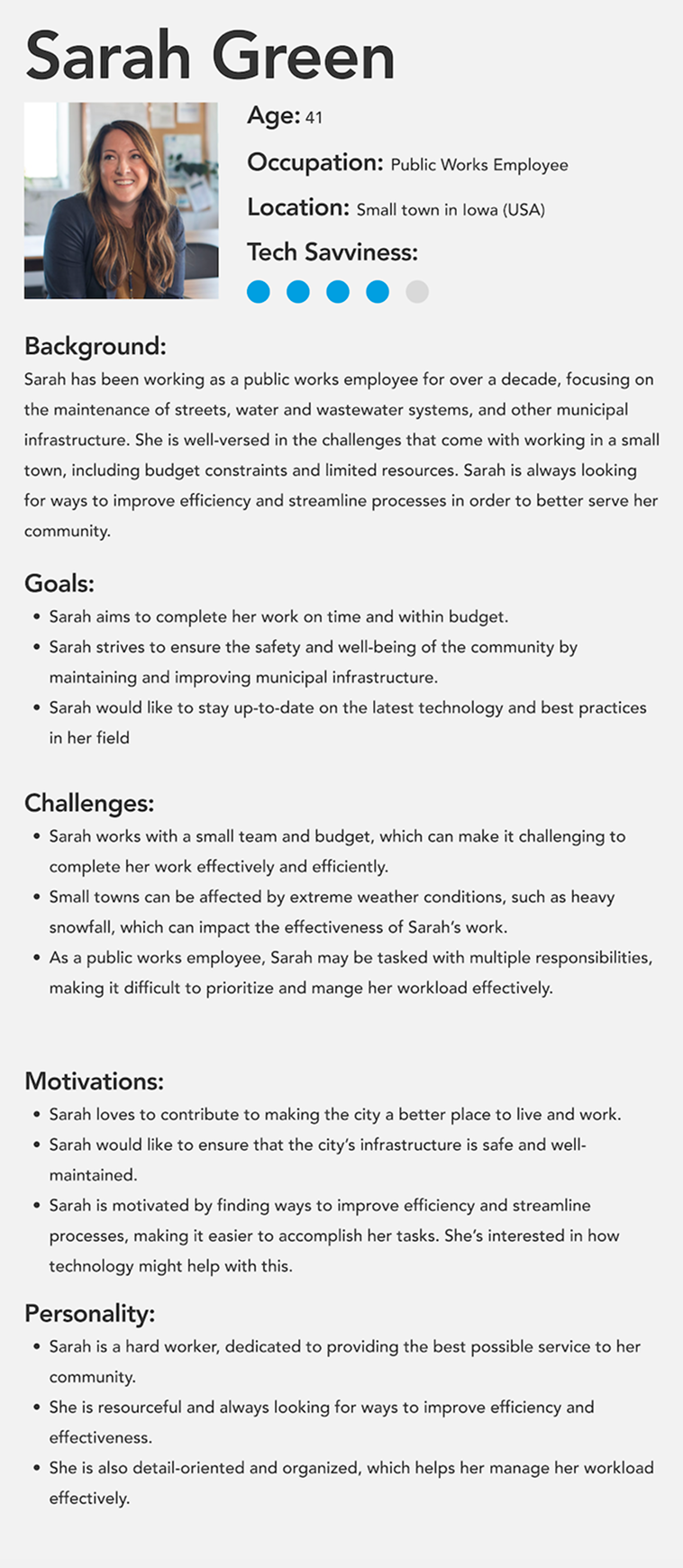
I reviewed legacy workflows and operational requirements to identify pain points and understand where usability issues were occurring. Part of this involved evaluating initial concept mockups provided by the client.
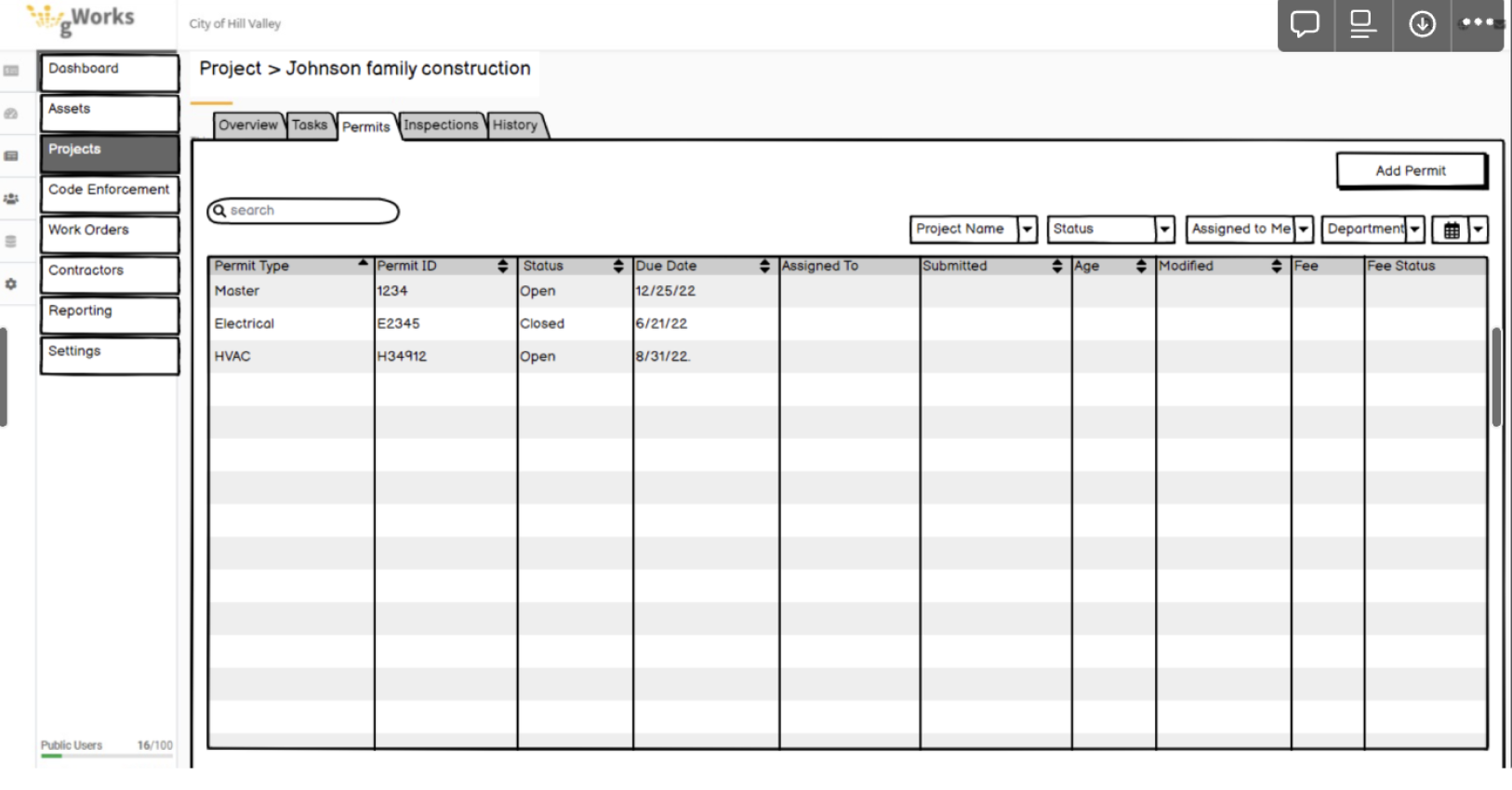
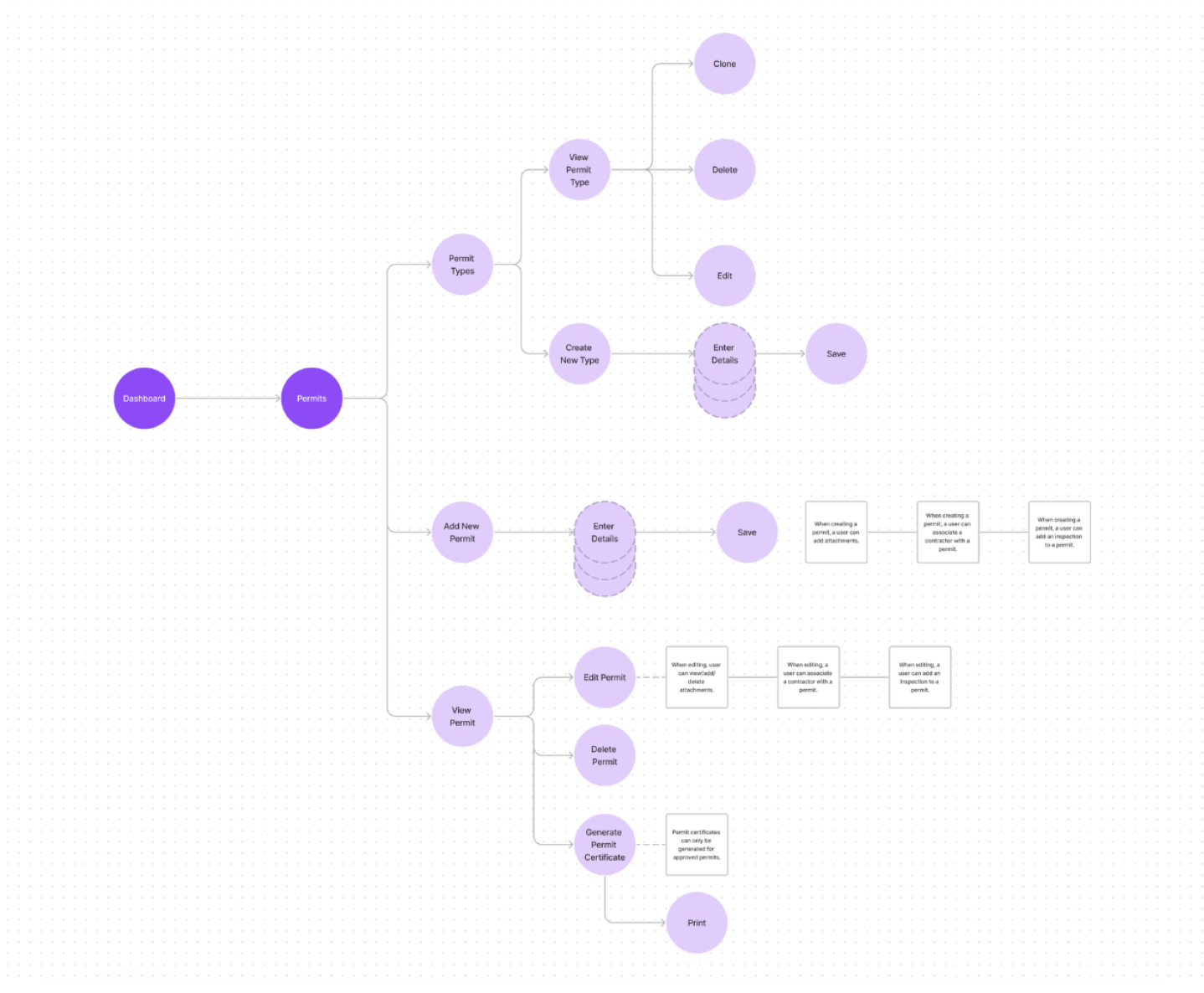
I mapped key workflows to better understand how users moved through the system and where friction or unnecessary complexity existed.
I created user journeys to help the team better understand the priorities, motivations, and constraints of different municipal users.
UX Improvements
I worked within tight business and technical constraints to create UX improvements across Operations Hub.
Reduce Cognitive Overload
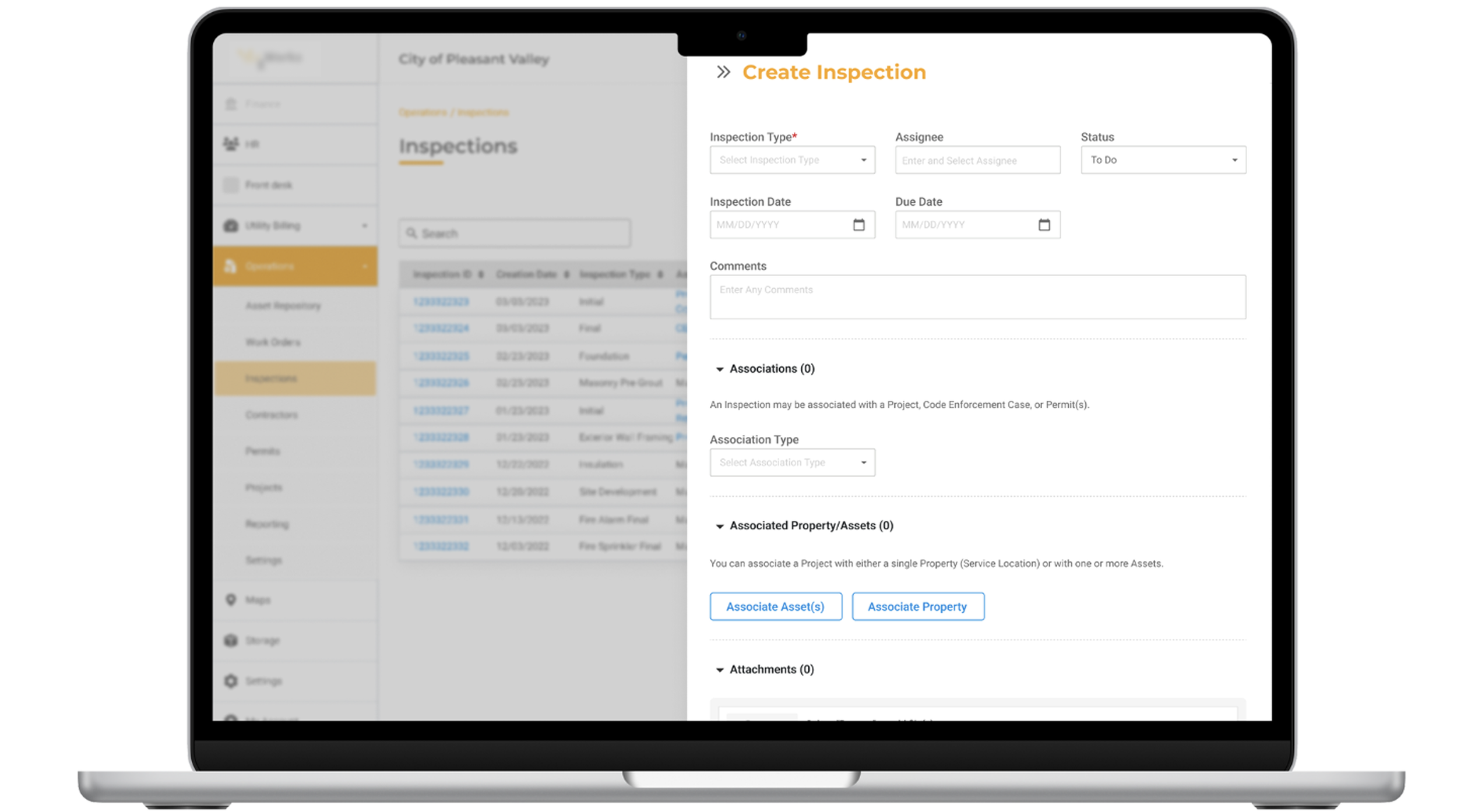
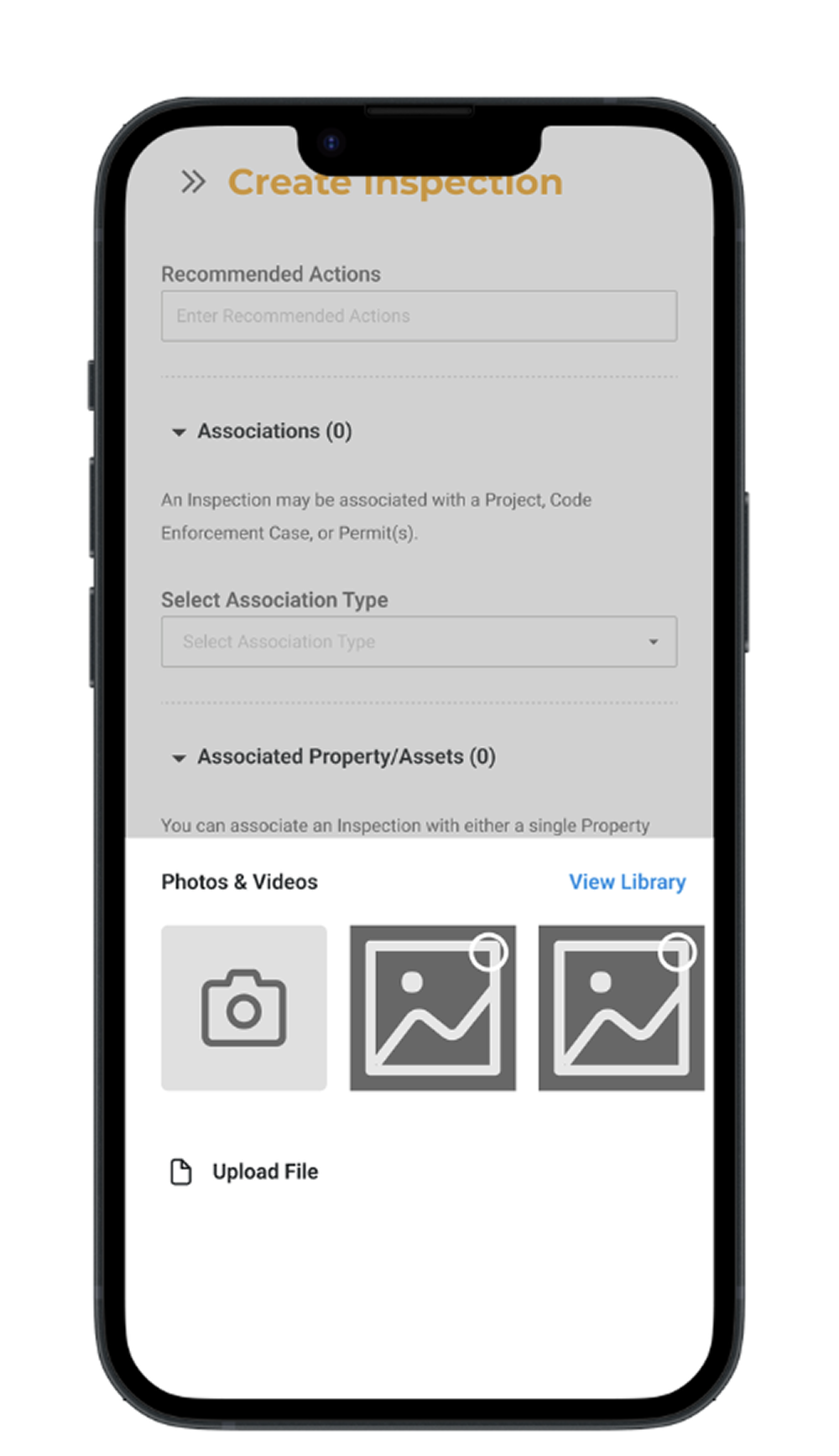
Many workflows were extremely complex, requiring numerous input fields. To reduce cognitive overload, I recommended strategically breaking up input fields and placing optional ones into collapsible sections. For example, when creating an inspection, a user is presented with essential input fields, but additional fields (ie, Associations and Associated Property/Assets) are presented in collapsible sections.
Previously, all input fields were lumped together.
Mobile Considerations
Most users utilized the desktop version of the app, but some users used mobile devices while in the field. Thus, considering the mobile layout for certain workflows was important.
For example, I recommended enabling direct access to a user’s phone camera to enable them to easily upload photos taken out in the field.
Improved Information Hierarchy
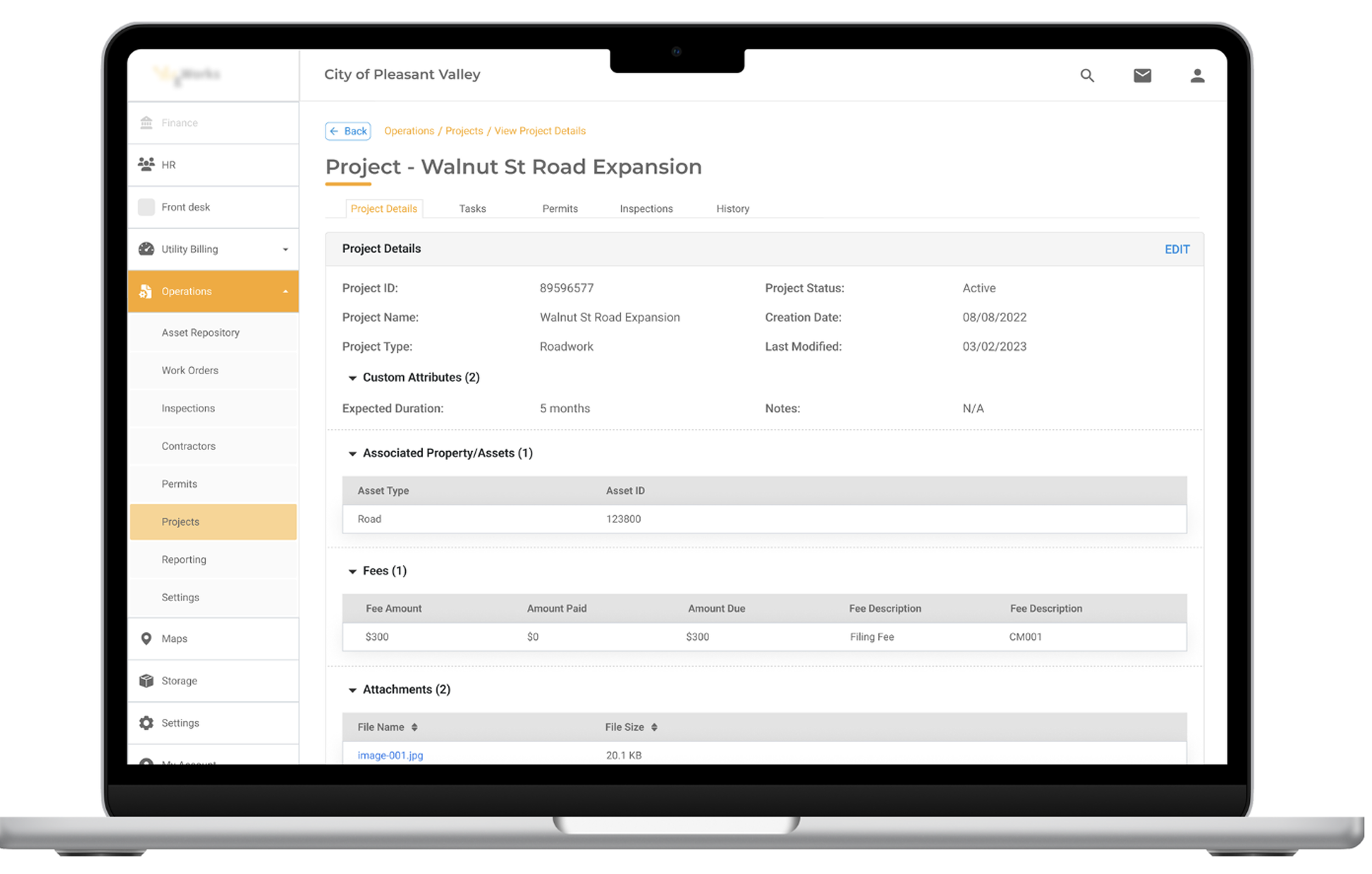
I recommended utilizing tabs, collapsible sections, and tables to organize information on various View pages (for projects, inspections, and more).
Select Correct Address
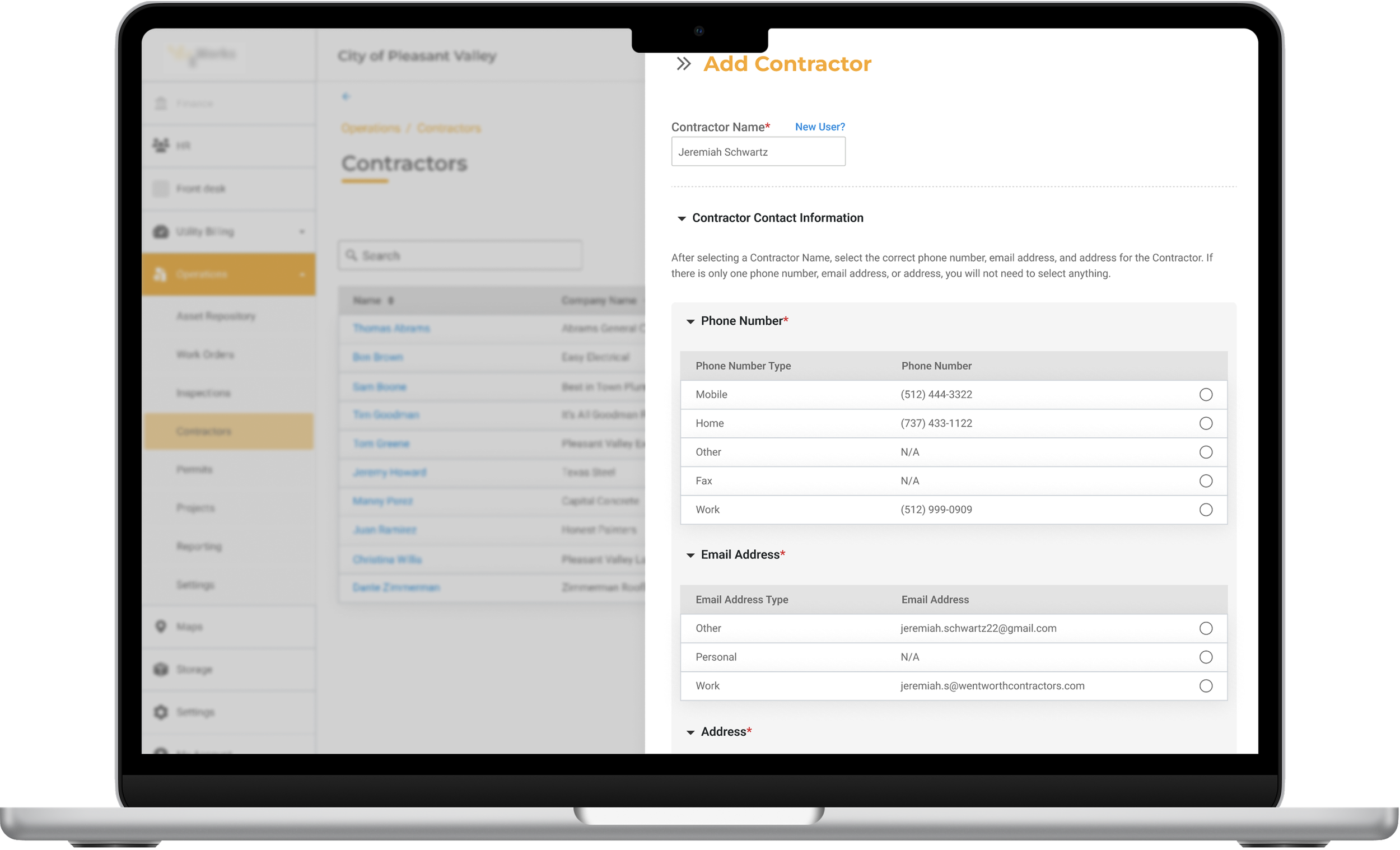
I discovered that a contractor could have multiple addresses/phone numbers in the system. Previously, simple input fields were utilized and would auto-populate a contractor’s address and contact info. However, this did not address the case scenario of multiple addresses/phone numbers.
To address this, I suggested the use of sections displaying options with radio buttons to select the correct contact information.
Enhanced Customization
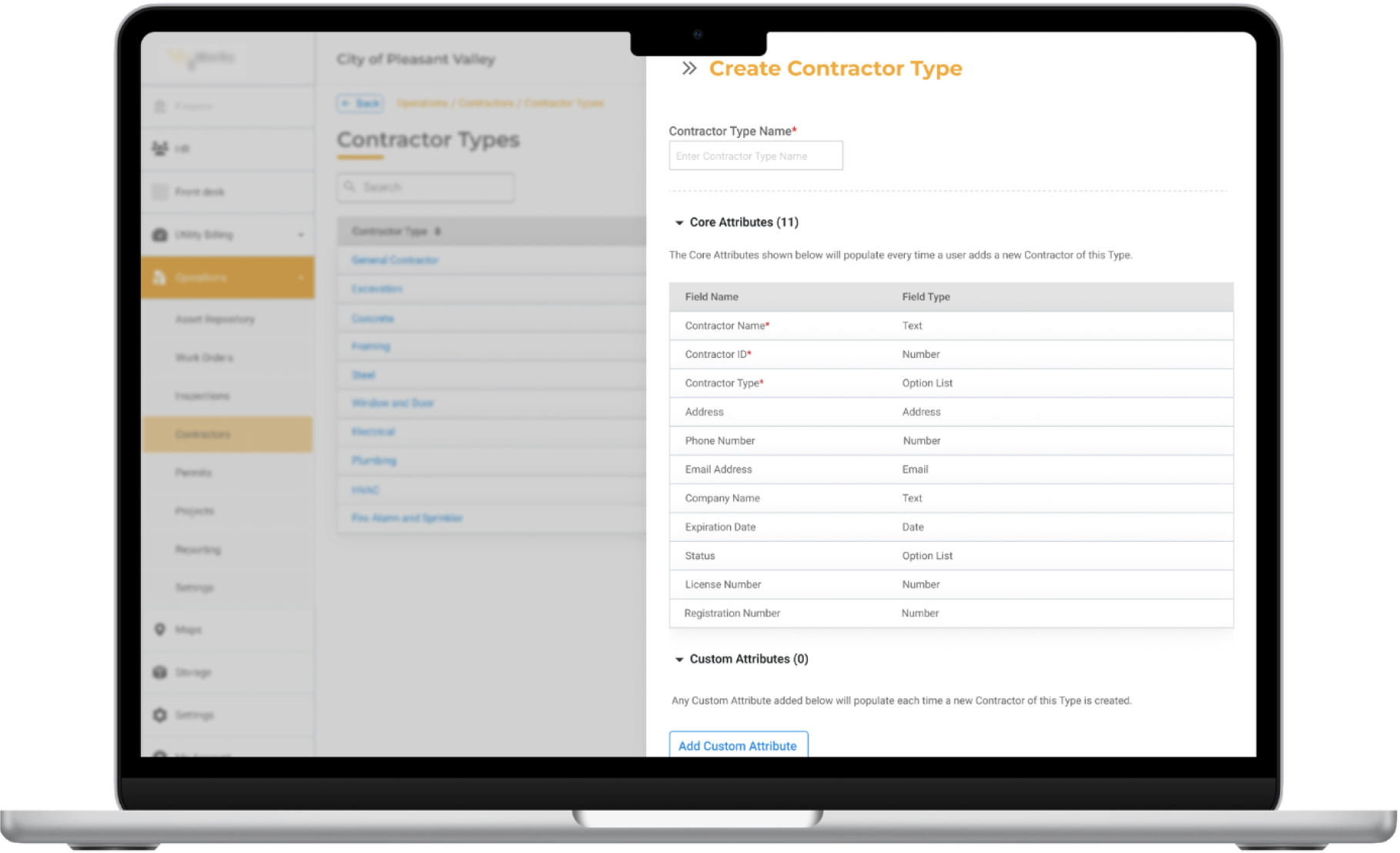
I improved the design for adding customizations. Customizations allow users to add specific attributes to different items within the system. For example, a city may want to add unique attributes to a Contractor saved within their system.
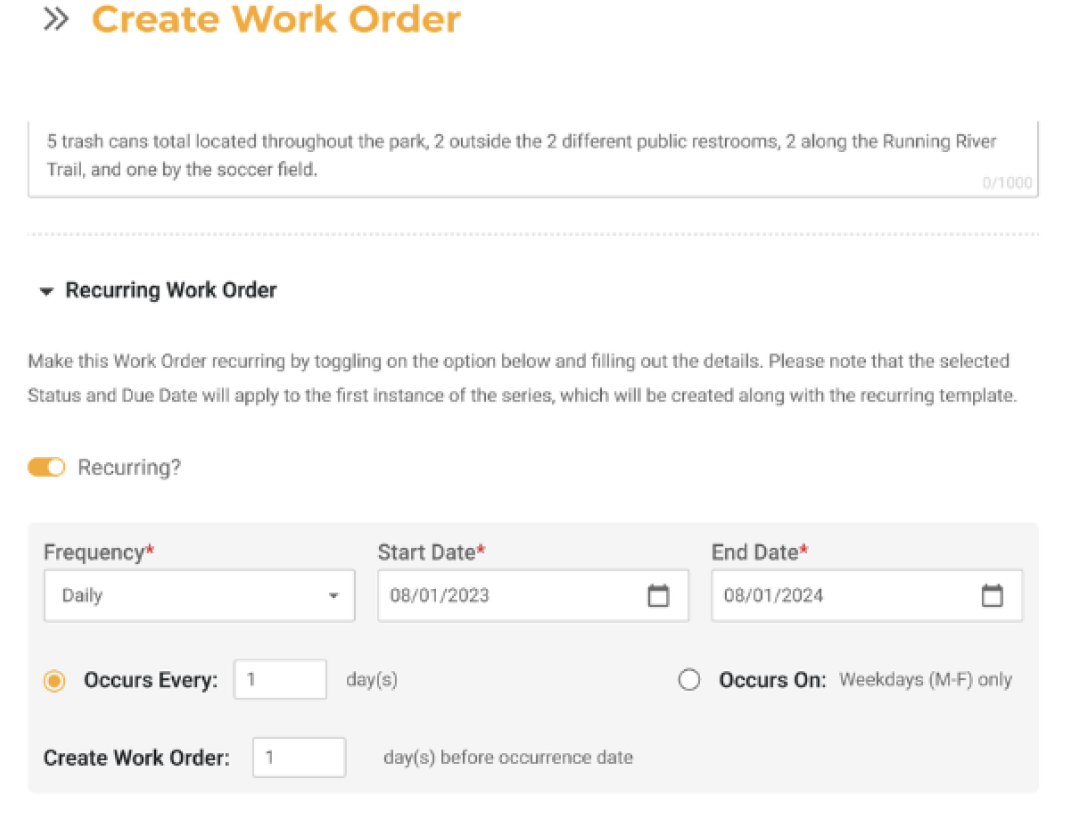
Clear Instructions
Throughout the system, I strived to include clear, concise instructions. For example, the instructions for creating a Recurring Work Order can be seen to the right.
Outcome/Learnings
Improved usability within a highly constrained operational environment
Introduced more user-centered thinking into complex municipal workflows
Reduced cognitive overload through clearer organization and prioritization
Reinforced the importance of iterative improvements within enterprise systems